


C语言安装
GCC 编译器
GNU编译器套装(英语:GNU Compiler Collection,缩写为GCC),指⼀套编程语⾔编译器,常 被认为是跨平台编译器的事实标准。原名是:GNU C语⾔编译器(GNU C Compiler)。
安装地址
官方地址:https://jmeubank.github.io/tdm-gcc/download/
https://github.com/jmeubank/tdm-gcc/releases/download/v10.3.0-tdm64-2/tdm64-gcc-10.3.0-2.exe
蓝奏云下载:https://wwalp.lanzout.com/iNo673k26lzi
百度网盘下载:链接:https://pan.baidu.com/s/1XAJKeZmWFzUD4hIG924J1A 提取码:grjj
安装步骤
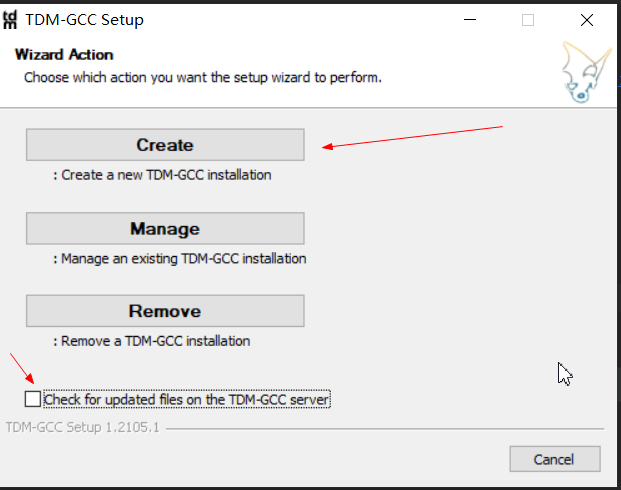
很简单,双击打开就行。不过需要注意的是 第一次双击 不要勾选下面的Check For Update 在线更新
验证是否安装成功
cmd命令行查看
shell
gcc -v使用vscode写c代码
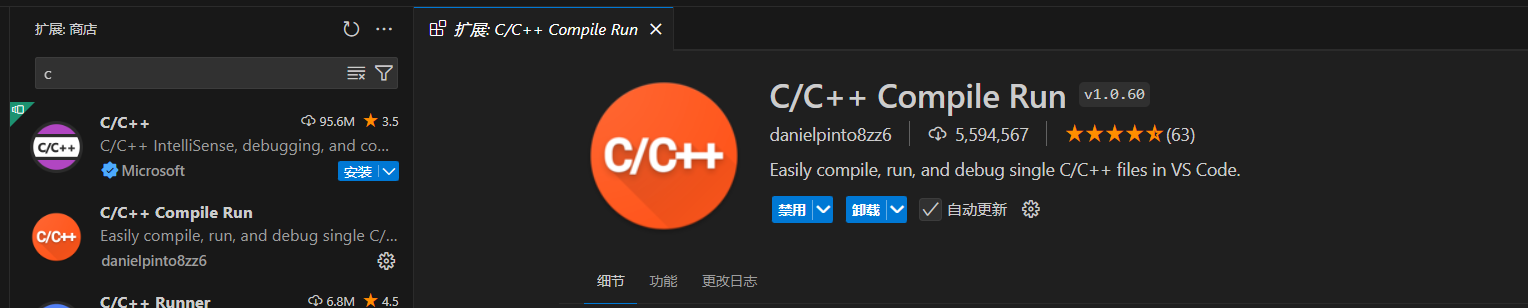
安装扩展
C/C++ Compile Run 运行c代码
C环境编码设置
- 在windows下如果不指定在程序执⾏时的GBK字符集,打印中⽂会乱码
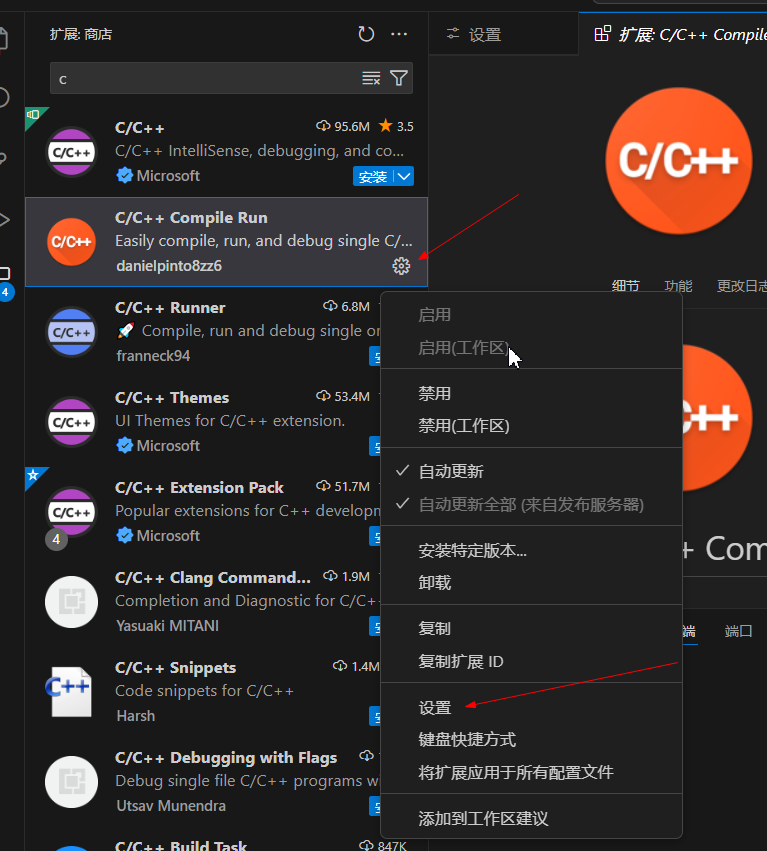
- 设置⼊⼝
shell
-Wall -Wextra -g3 -fexec-charset=GBK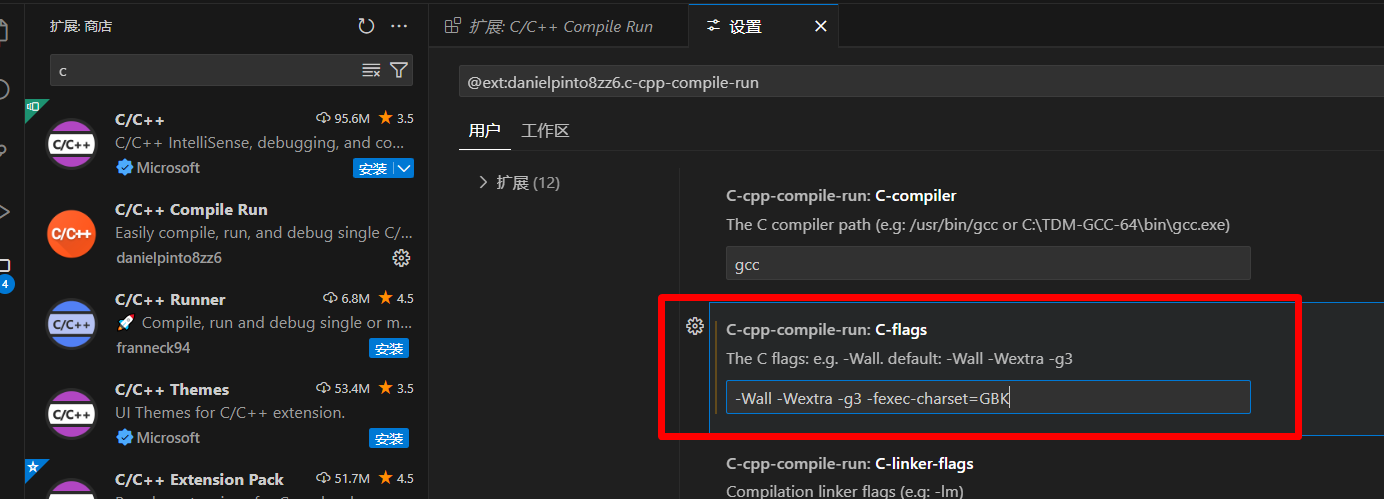
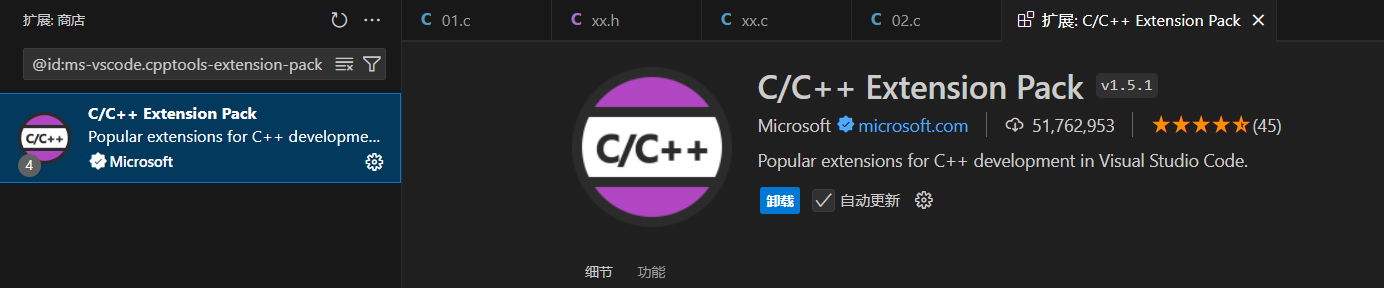
C/C++ Extension Pack 可以文件跳转
写hello world
新建文件test.c 执行就可以了
shell
#include <stdio.h>
int main() {
 printf("hello world\n");
 return 0;
}设置⽤户代码块⽚段
比如我们想写main就自动生成完整的文件框架。
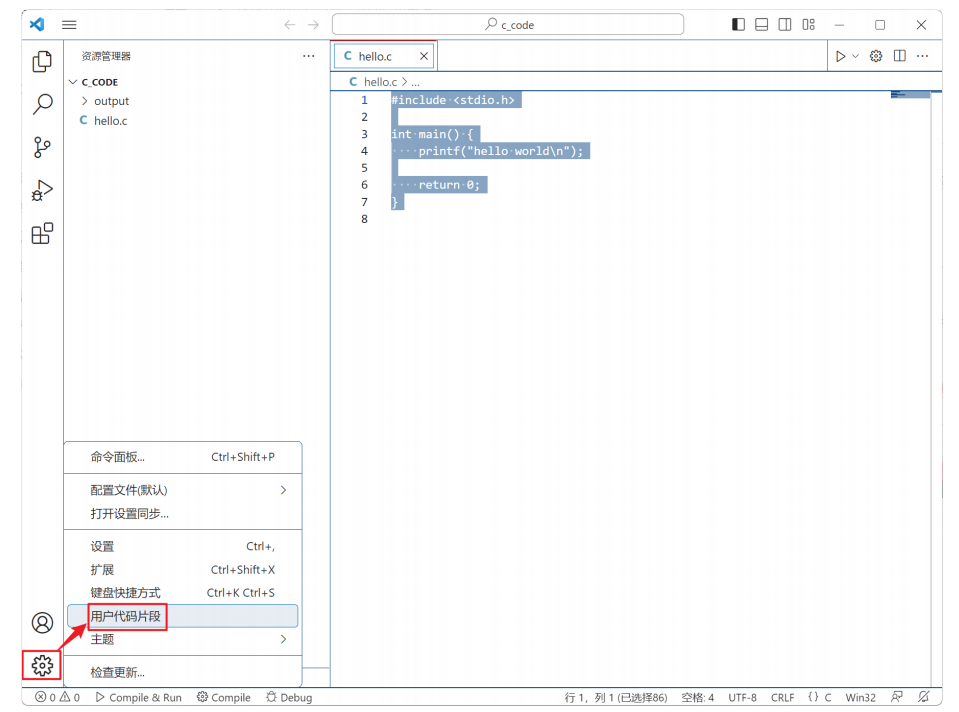
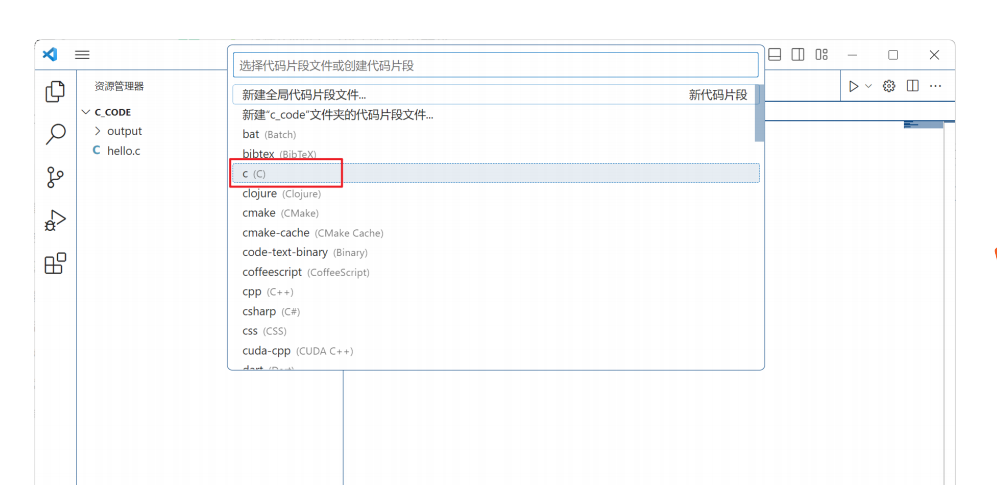
然后把下面的配置贴进去就行了
shell
{
    "C Main Function": {
        "prefix": "main",
        "body": [
            "#include <stdio.h>",
            "#include <stdlib.h>",
            "",
            "int main(int argc, char *argv[]) {",
			"    printf(\"hello world\\n\");",
            "    ${1:/* code */}",
            "    ",
            "    return 0;",
            "}"
        ],
        "description": "Insert a complete C main function with headers"
    },
    "Printf Statement": {
        "prefix": "pr",
        "body": [
            "printf(\"${1:%s}\\n\"${2:, $3});"
        ],
        "description": "Insert a printf statement"
    }
}